Theres a lot of great fonts that inkscape has with pre-built stitches that can turn your ideas into beautiful embroidery.
If you are a beginner with embroidery there are a lot of great built in designs. Usually machines like Brother and Singer have just a couple fonts that can be incorporated such as the cursive or bubble text. These make it easy for small text to be typed into the sewing machine for your design ideas.
Inkscape makes it easy with satin stitches and other concepts to come alive with their lettering options. To access this section select Extensions, Inkstitch and Lettering. These are not to be confused with ‘fonts’ which may be more numerous but do not have the inbuilt stitching patterns formed as these stitches do. The difference is that you will need to apply embroidery stitch patterns for other fonts that are not on this list wheras here the lettering options are pre-defined and provide a higher chance of success for beginners. Here are the available Lettering options that Inkscape has built in.
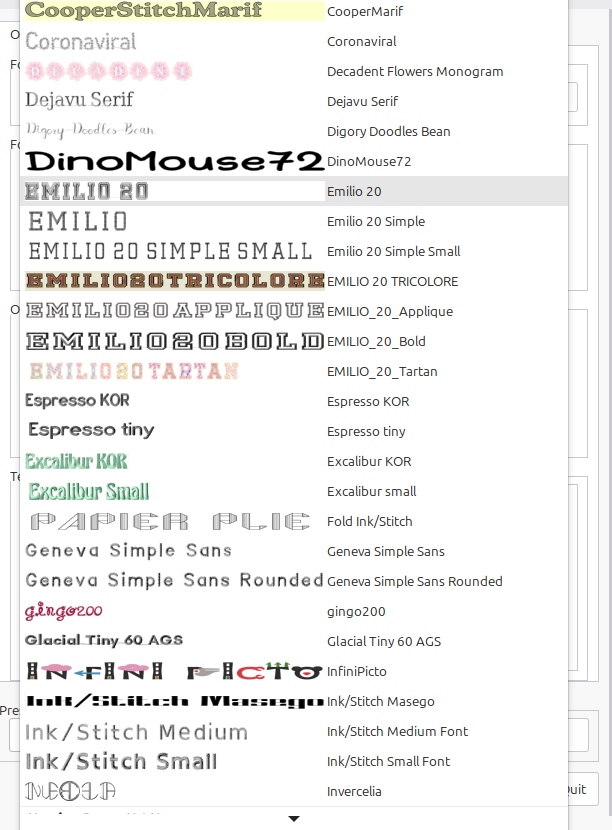
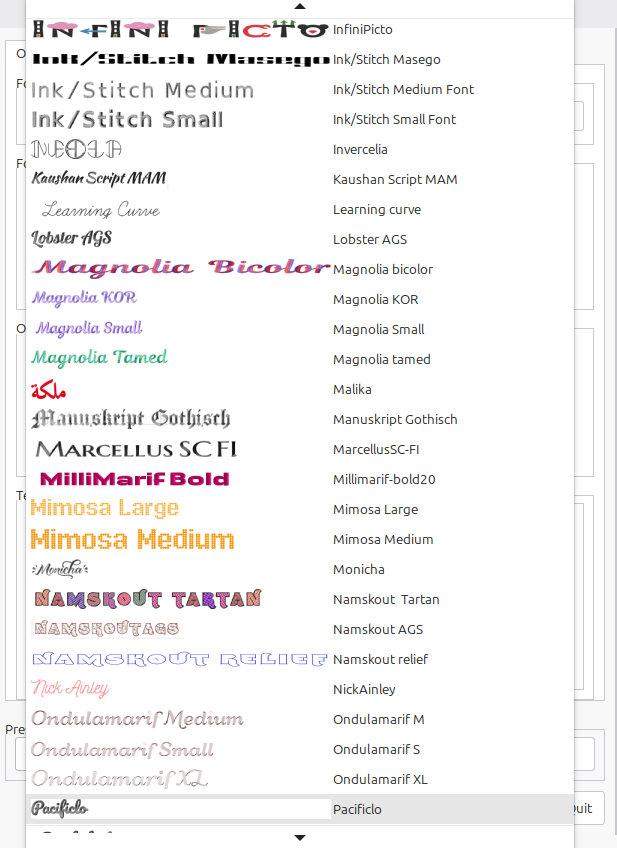
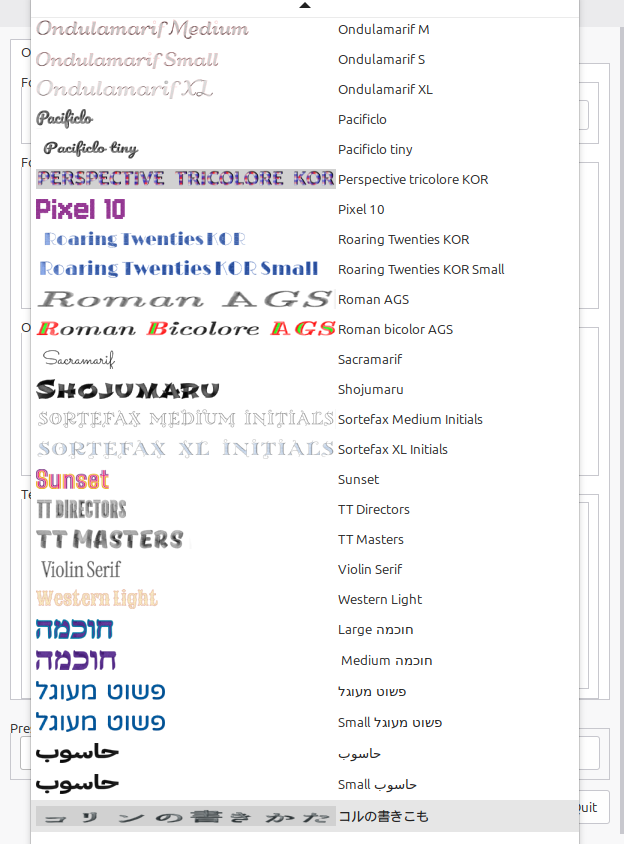
Here is an example of the first font type Emilio:


After that open the ink stitch simulator to see how the design will turn out with visual design.
All you need to work on is the actual text, pressing enter to place different phrases on different lines.
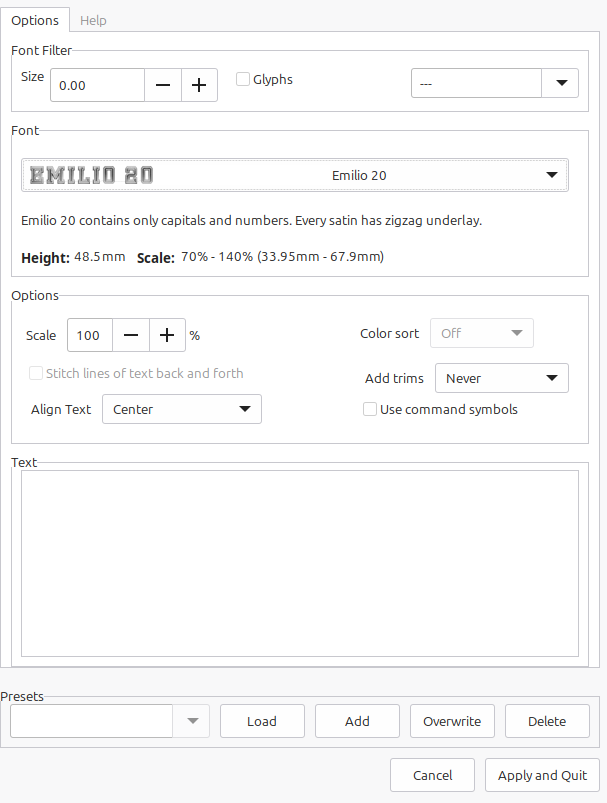
This is the object on the canvas below, which can be resized as needed.
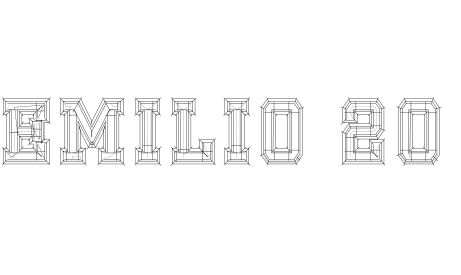
One of the more Satin stitch heavy options is Shojumaru one of the latter options from the list. Used with a medium weight foam as backing for this.
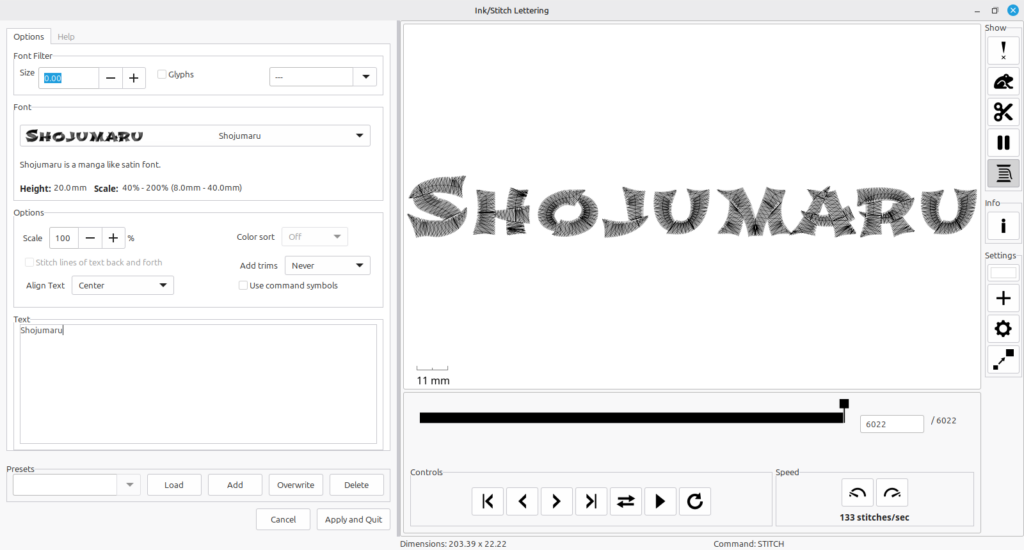
When using this in practical application the results were similar to the outlining.
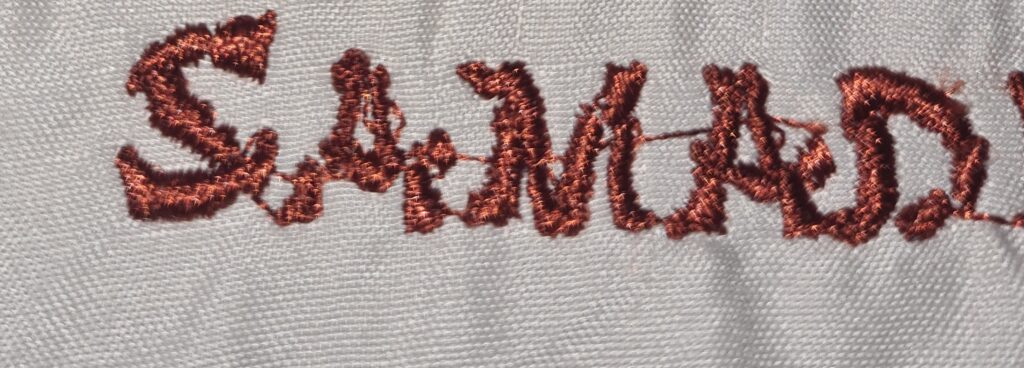
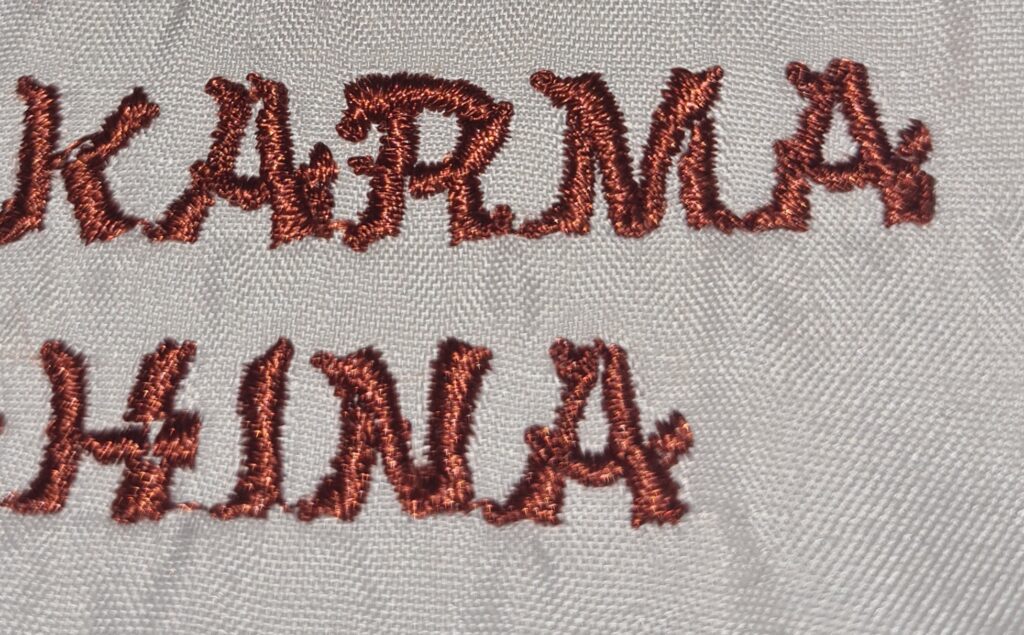
In an attempt to make the stitch thicker and to cover up errors in some of the lesser well developed words a second run of the stitch resulted in this :
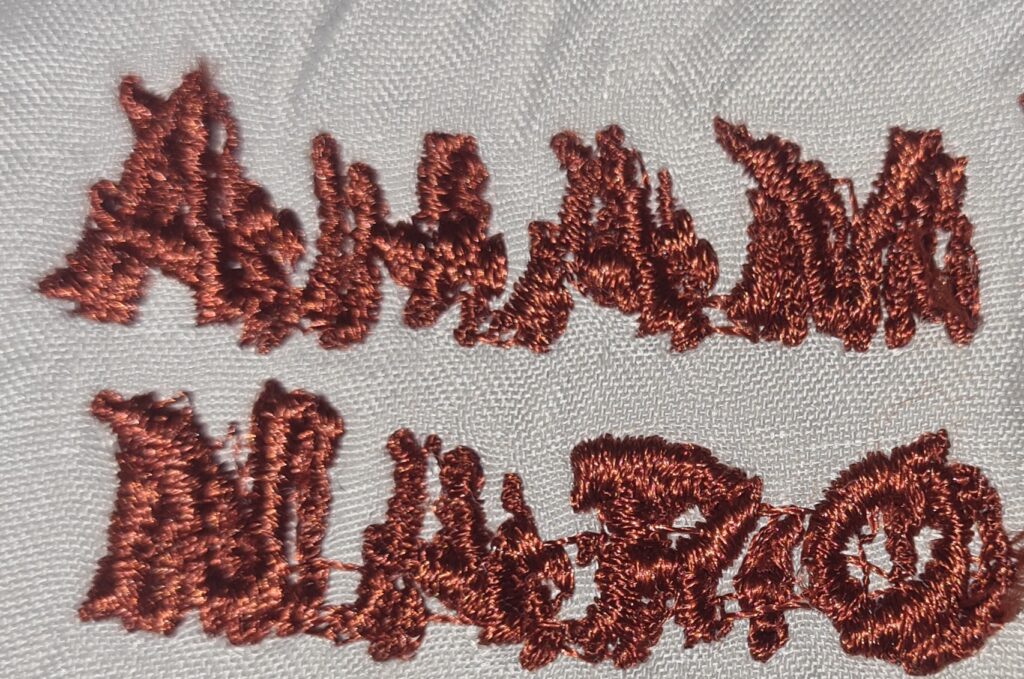
The running together of stitches is because there were no trim commands associated with the design. This is an easy to use function from ink stitch and can be applied to individual paths or objects included in the design.
Comments